GUI (ferroplan-bevy)
ferroplan-bevy is a Bevy app that turns a PDDL
domain + problem into something you can see: a force-directed graph of the
problem, an animated plan, and a Blockly-style block editor for both the problem
and the domain.
cargo run -p ferroplan-bevy                       # start empty, load via the editor
cargo run -p ferroplan-bevy domain.pddl problem.pddl
Visualize a domain + problem as a graph
Static objects become nodes, laid out force-directionally, with per-type
icons (a circle for location, a square for the mobile package/truck types);
static binary predicates (e.g. road) become edges. The current state is
drawn on the graph — a package sits on the node it's at. Right-drag pans,
scroll zooms, click inspects a node, and you can drag a node to reposition it.
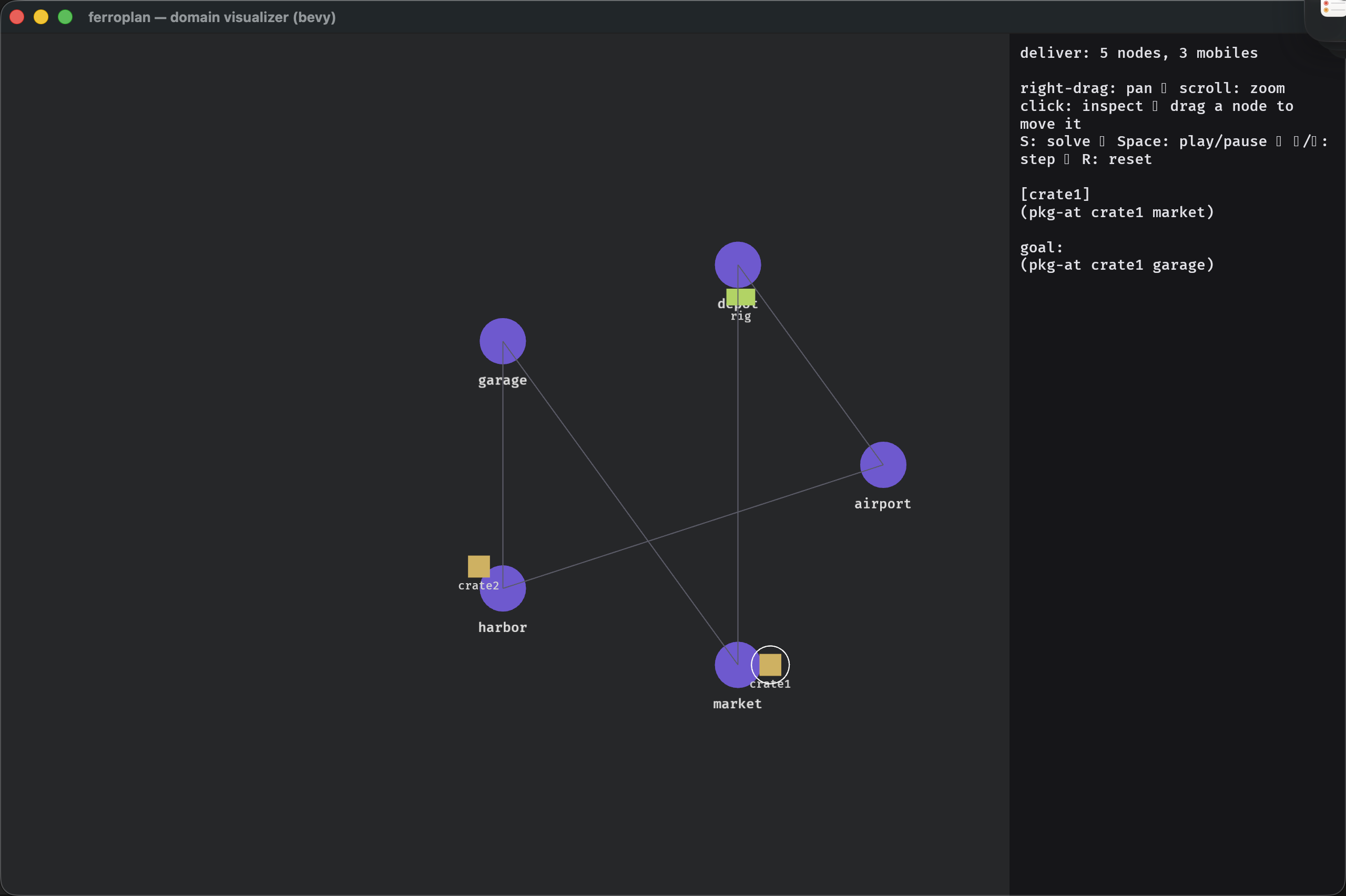 The problem as a typed graph — locations are circles, mobiles are squares,
 road predicates are edges. The side panel shows the inspected object and the goal.
The icons and edge colors are inferred from the PDDL — there's no per-domain config. A logistics problem shows the package as a box and trucks/train as mobiles, with rail legs drawn in blue and roads in gray:
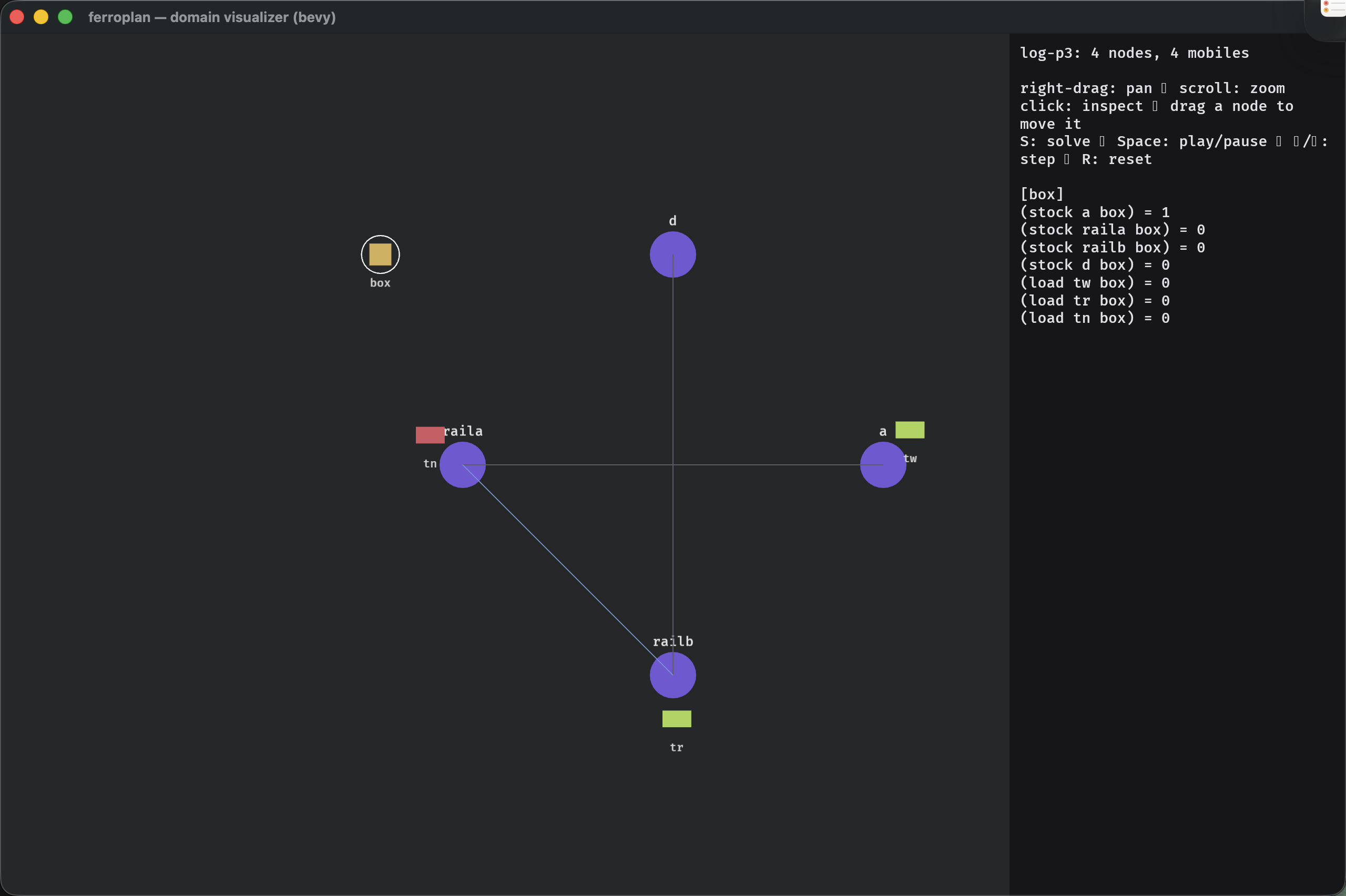 Logistics — rail (blue) vs road (gray) edges are distinguished automatically.
A job-shop schedule shows machines as octagons, jobs as boxes, and the stage
routing (s1→s2→s3) in amber:
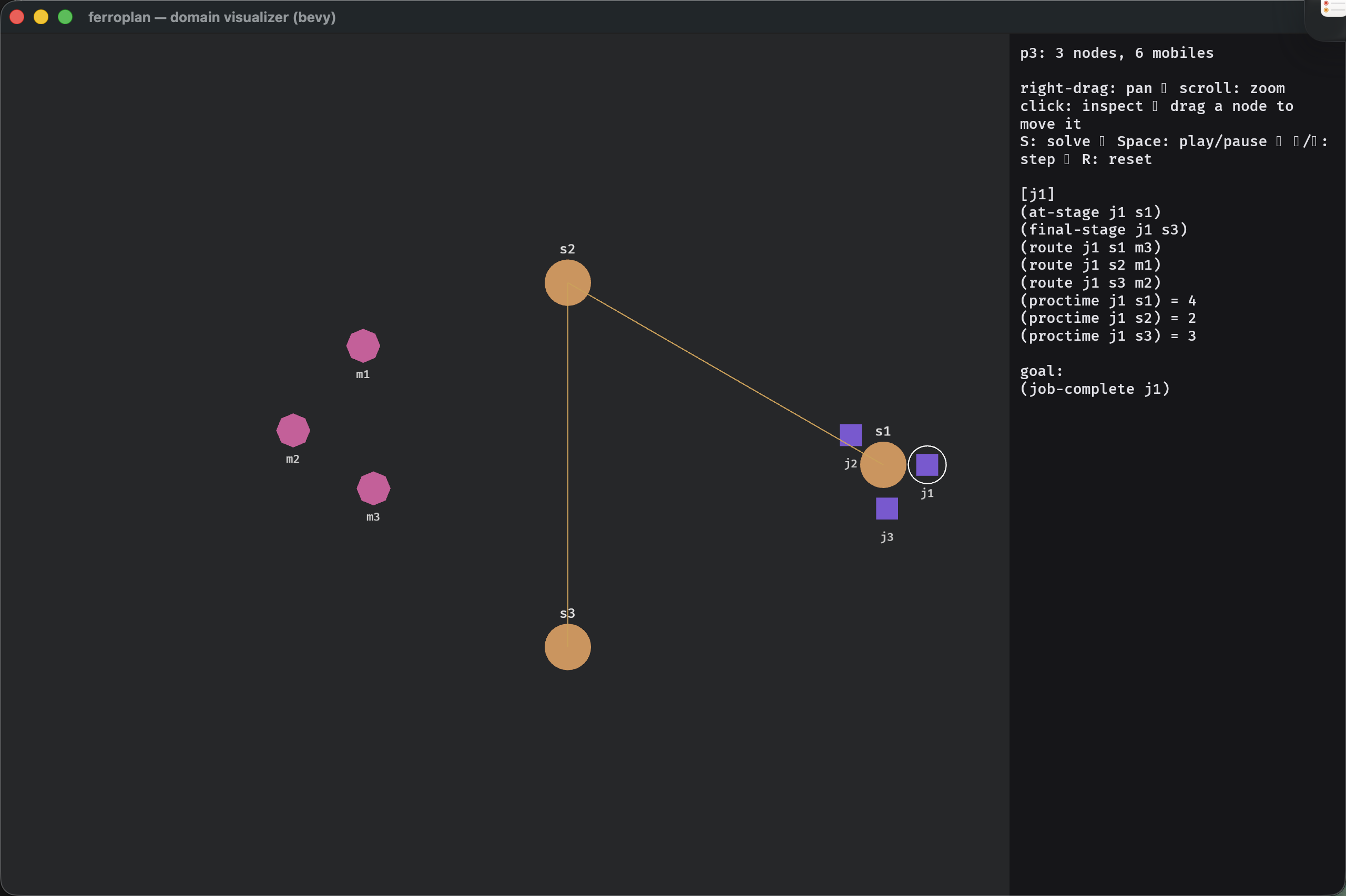 Job-shop — machines (octagons), jobs (boxes), and stage routing (amber).
Animate the plan
Press S to solve (it calls the same ferroplan::solve the CLI uses) and
Space to play. The plan replays step by step — mobiles slide along edges as
each action fires — with the current step echoed in the side panel. Arrow keys
step manually; R resets to the initial state.
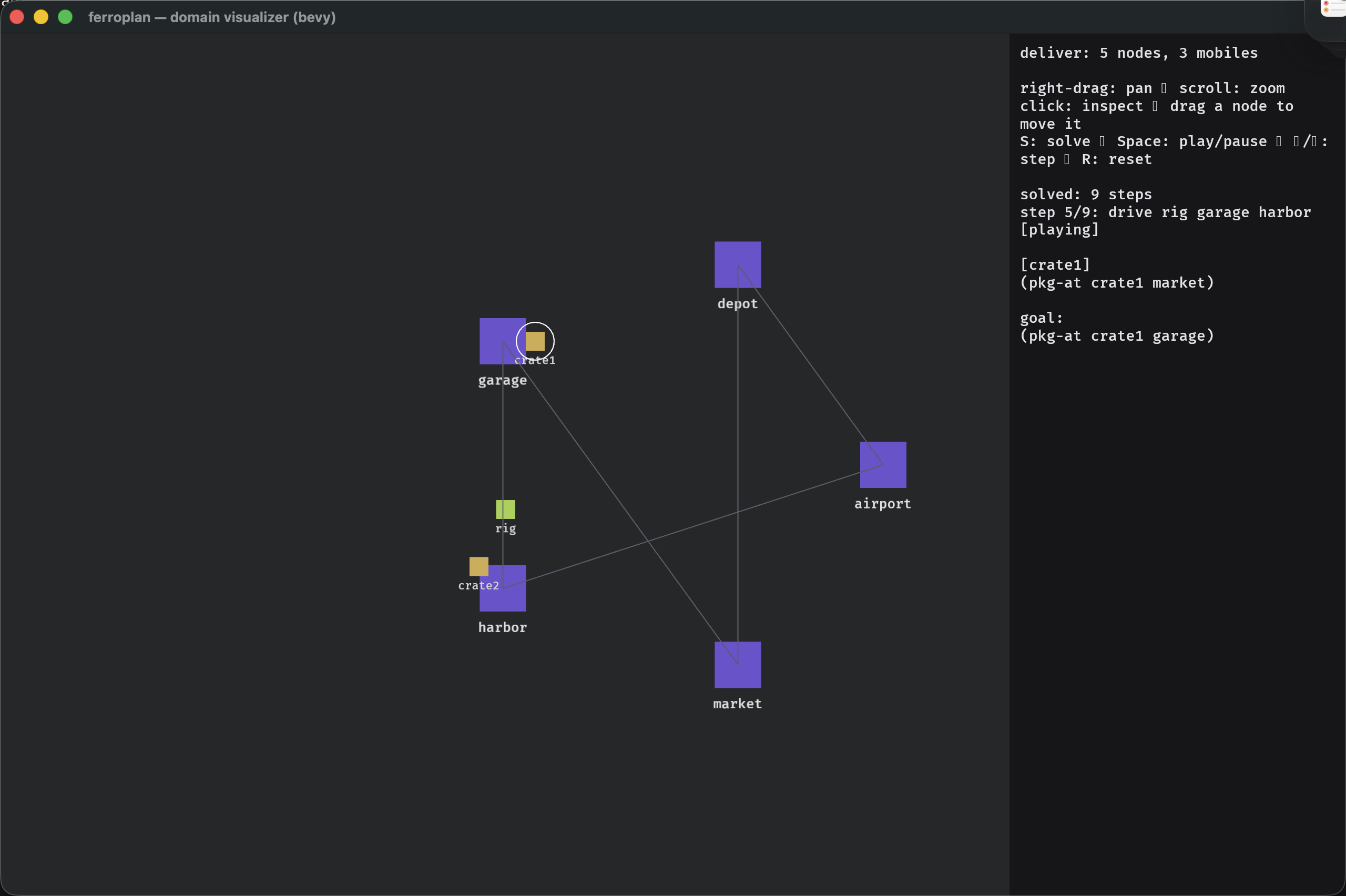 A plan animating mid-step — the side panel tracks
 step 5/9 while the mobiles move along the graph.
Block editor — problems
The editor is a Blockly-style, drag-and-snap surface: no PDDL syntax to get wrong. The problem editor edits objects (typed), the init facts, and the goal as nested blocks; Apply re-parses and re-renders the graph live, Export writes the PDDL back out.
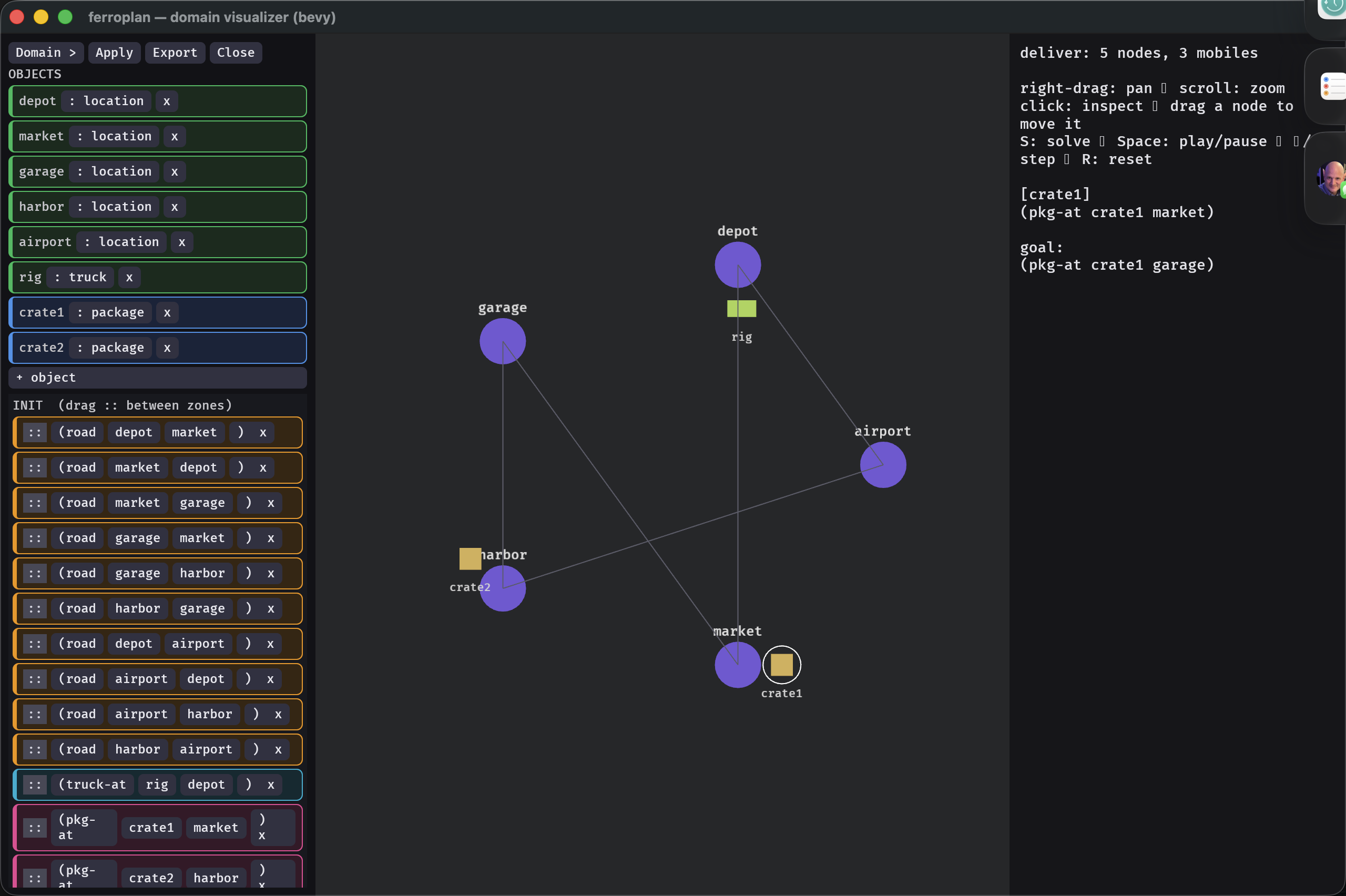 The problem editor — objects, init, and goal as typed blocks; Apply re-renders the graph, Export writes PDDL.
Block editor — domains
The editor goes all the way down to the domain: types and predicates...
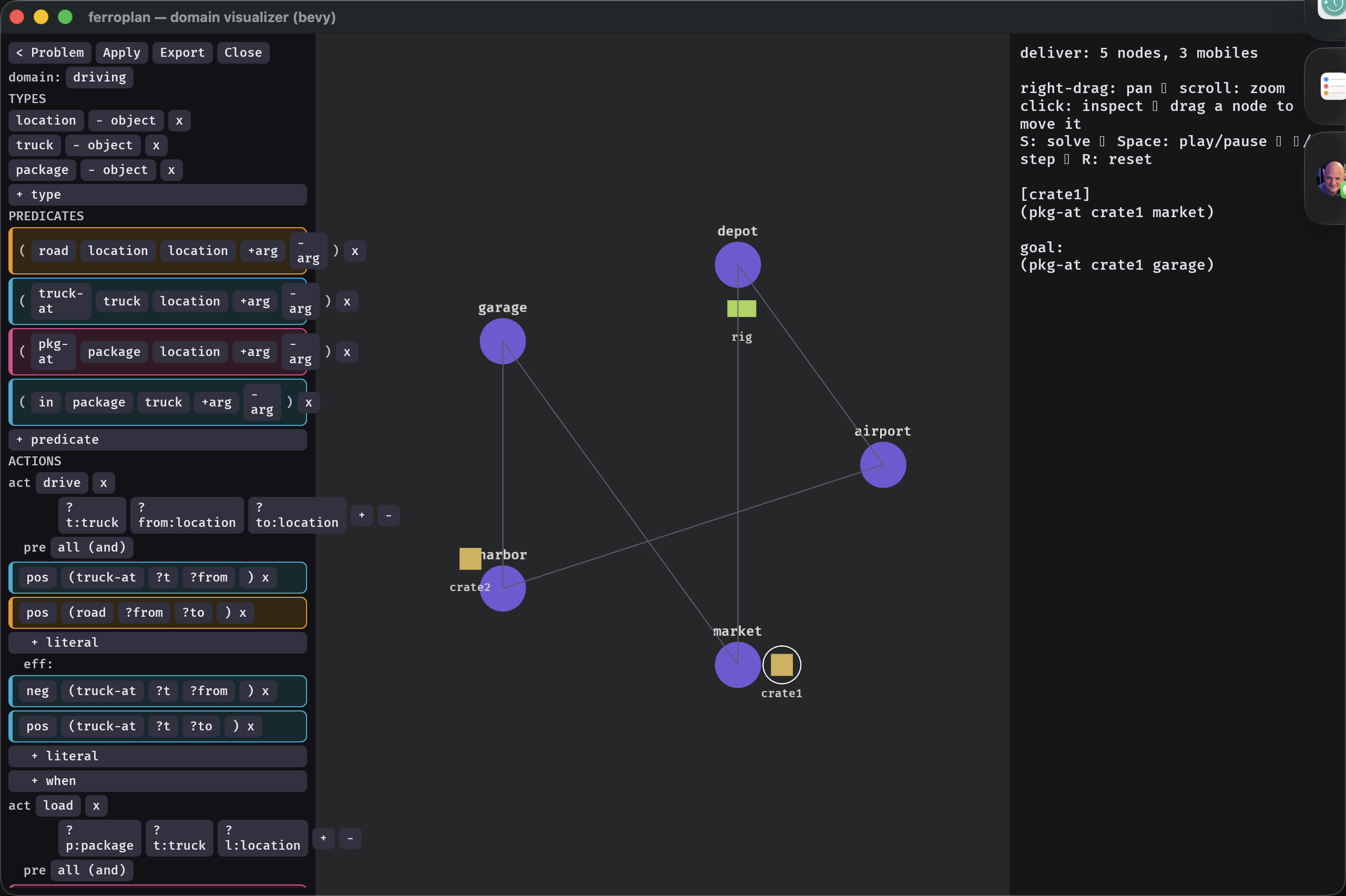 The domain editor — the type hierarchy and predicate signatures as editable blocks.
...and the actions — each action's parameters, precondition, and effect as positive/negative literal blocks, so you can author or tweak operators without touching a text file.
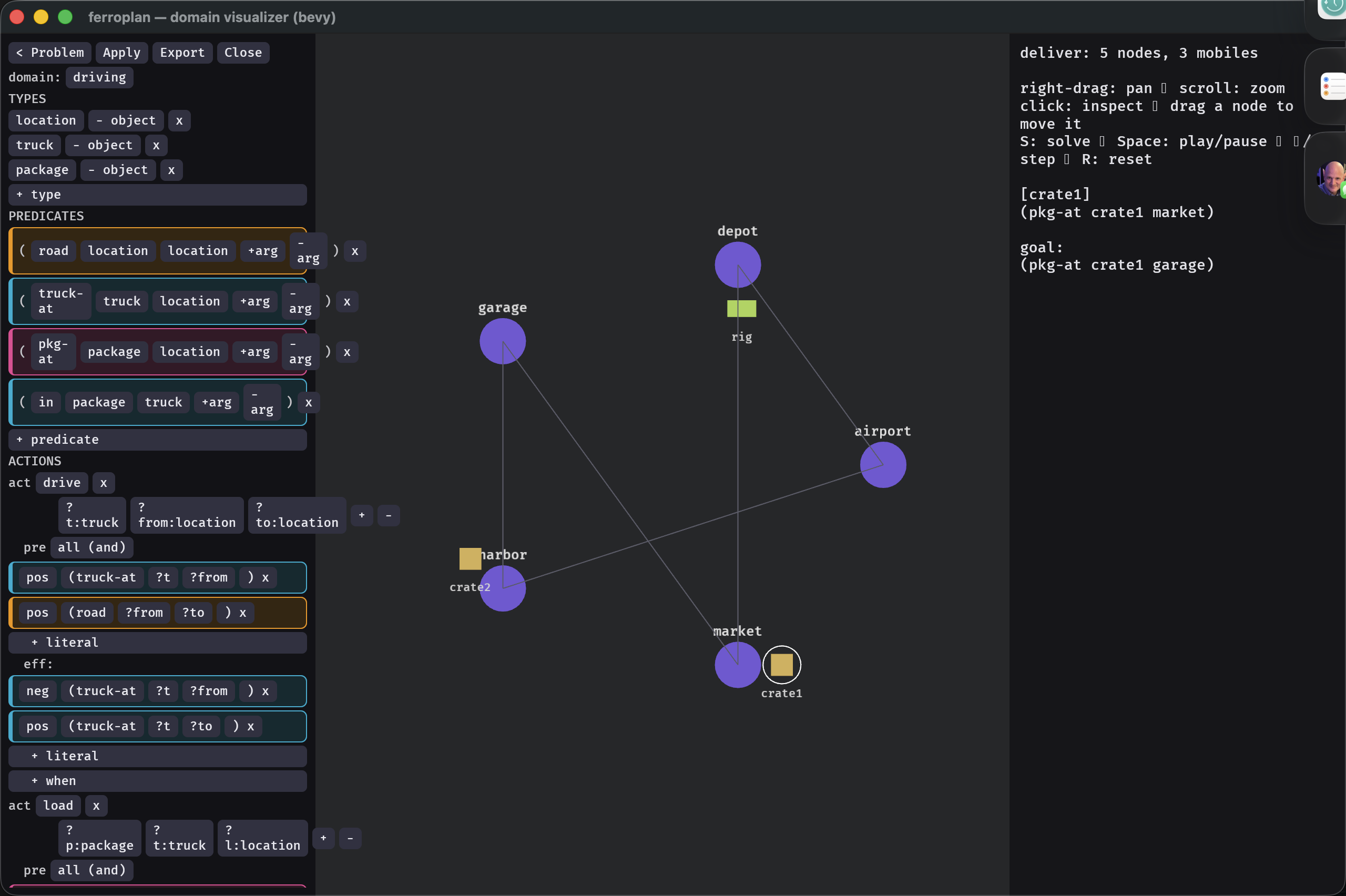 The action editor — parameters plus precondition and effect literals (positive / negative) per action.
The editor and the solver share the same parser and
solveentry point as theffCLI, so what you see is exactly what the planner sees.